Role
User Experience Designer
Duration
6 months
Onboarding and Research
Domain Knowledge
Onboarding
I was onboarded to the platform, where I attended hands-on sessions and connected with peers to deepen my domain knowledge. I created several processes myself to understand their behavior and underlying logic. Additionally, I received onboarding for the Customer Portal from a fellow designer.
Customer Portal
To build foundational understanding, I explored what Customer Portal is about, how it functions, and the value it delivers to users. I studied the key personas who interact with the Portal and analyzed their goals, workflows, and pain points.
Design System Guidelines
I familiarized myself with the design guidelines and related UI components. To stay aligned with evolving standards, I actively participated in meetings focused on the Design System.
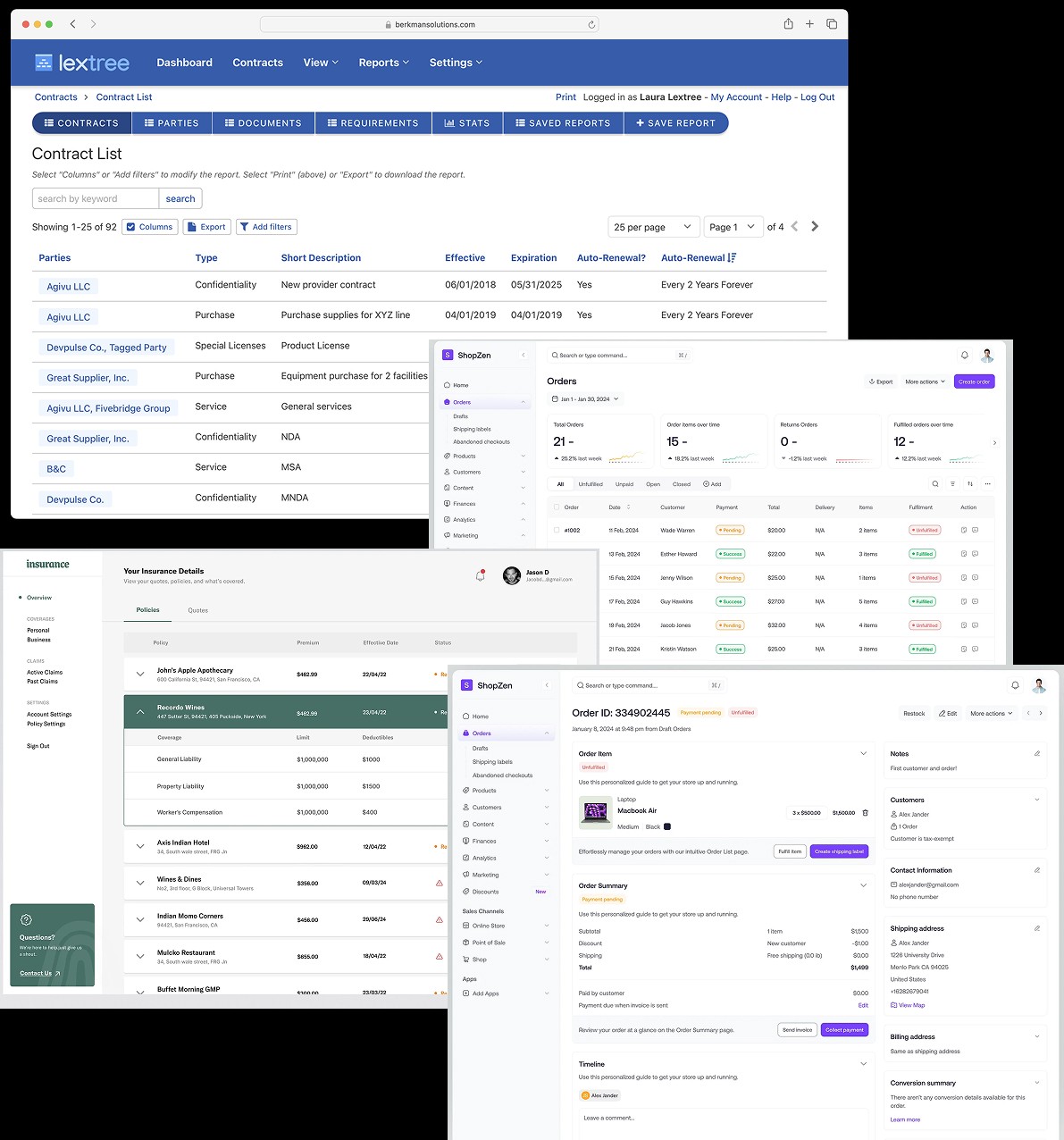
Competitive Analysis
What all similar platforms are there in the market?
How customers are interacting with such portals?
Contract tracking can be similar to Order tracking.
For analysis, I have chosen following components:
Contract list
Order list
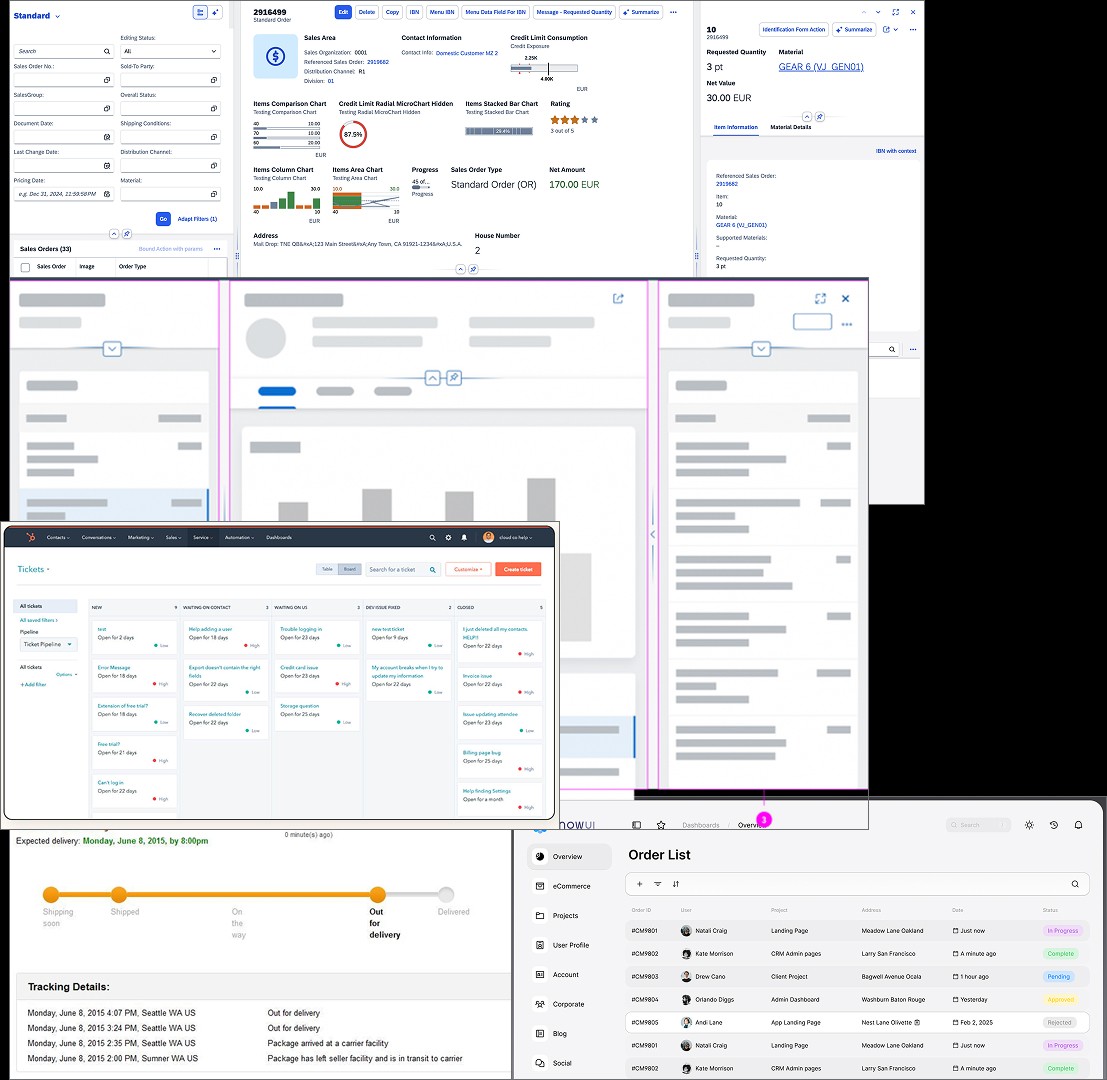
Order tracking
Order details
Customer self-service portal
Design Exploration
To understand how similar problems are addressed, I explored design components such as Flexible Columns, progress bars that helped me see patterns in navigation, information hierarchy, and screen layout.
I proactively reached out to designers from respective teams for walkthroughs to understand their design approach, constraints, and best practices.
Based on my findings, I compiled a list of reusable components and patterns that could improve navigation and enhance the overall user experience within the Customer Portal.
Workshop
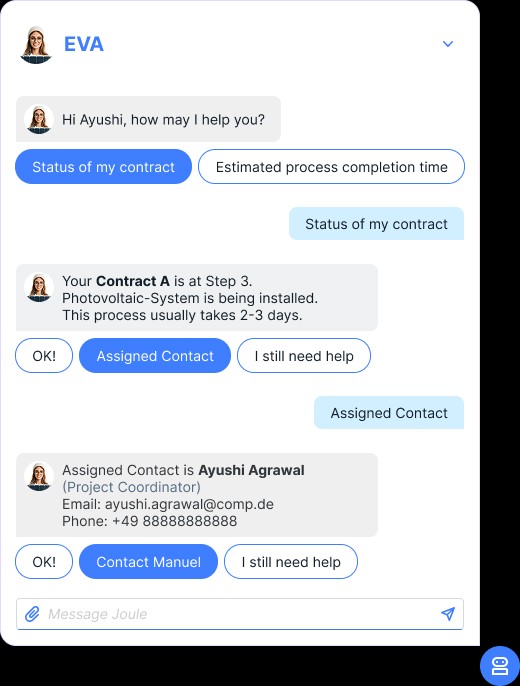
Conducted a cross-functional workshop with PMs and engineers to explore potential GenAI capabilities for the Customer Portal.
Invited participants to ideate and list 3-5 GenAI features they believed could enhance user experience, improve efficiency, or offer practical value.
Facilitated a voting session to identify the most impactful and relevant suggestions.
Consolidated and refined the collected ideas, evaluating them based on usability and technical feasibility.
Pain Points
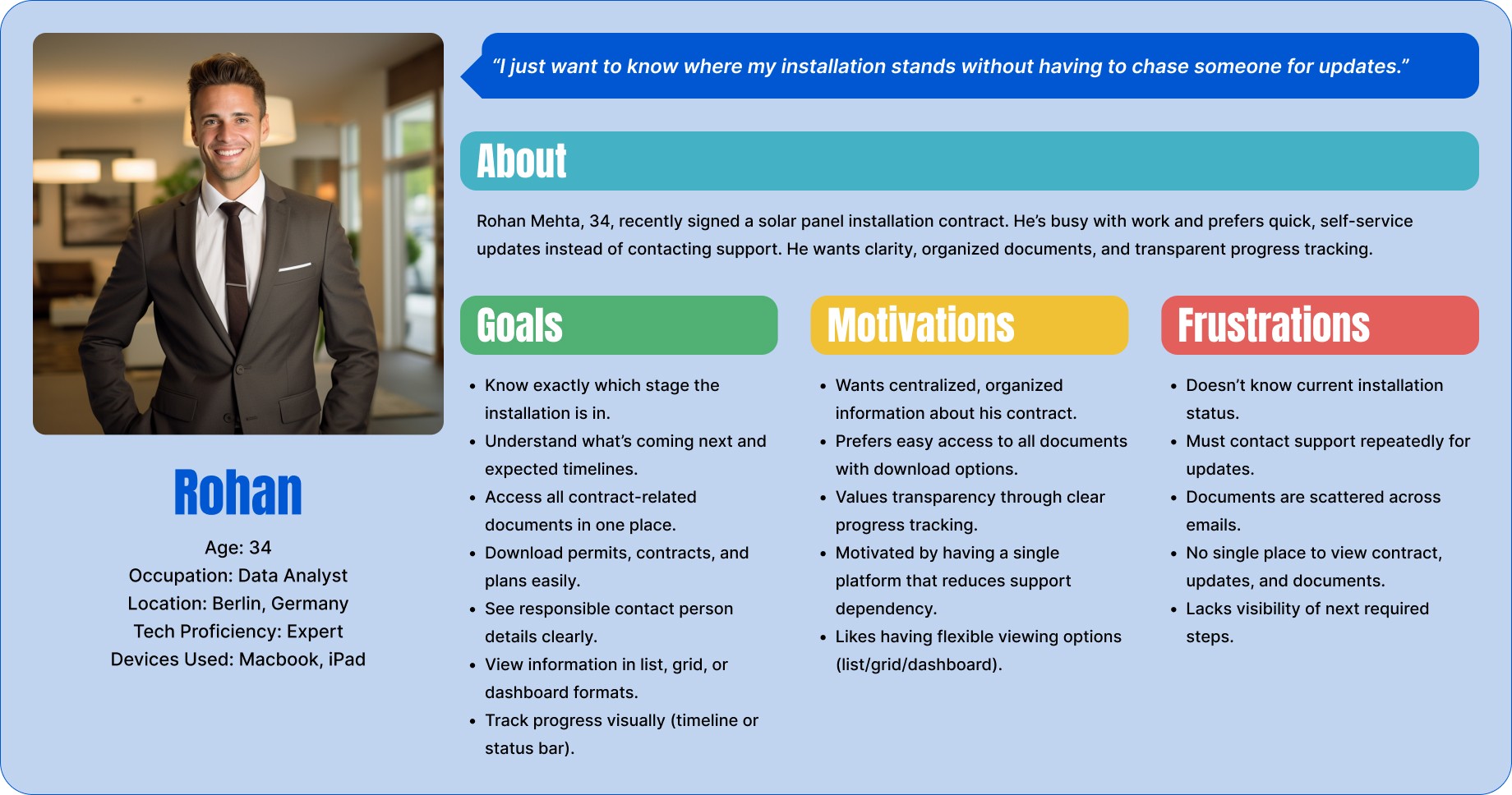
Customers often don’t know what stage their installation is at or what’s coming next.
Users need to reach out to support for updates, leading to frustration and delays.
Important documents (contracts, permits, installation plans) are hard to find or scattered across emails.
Insights
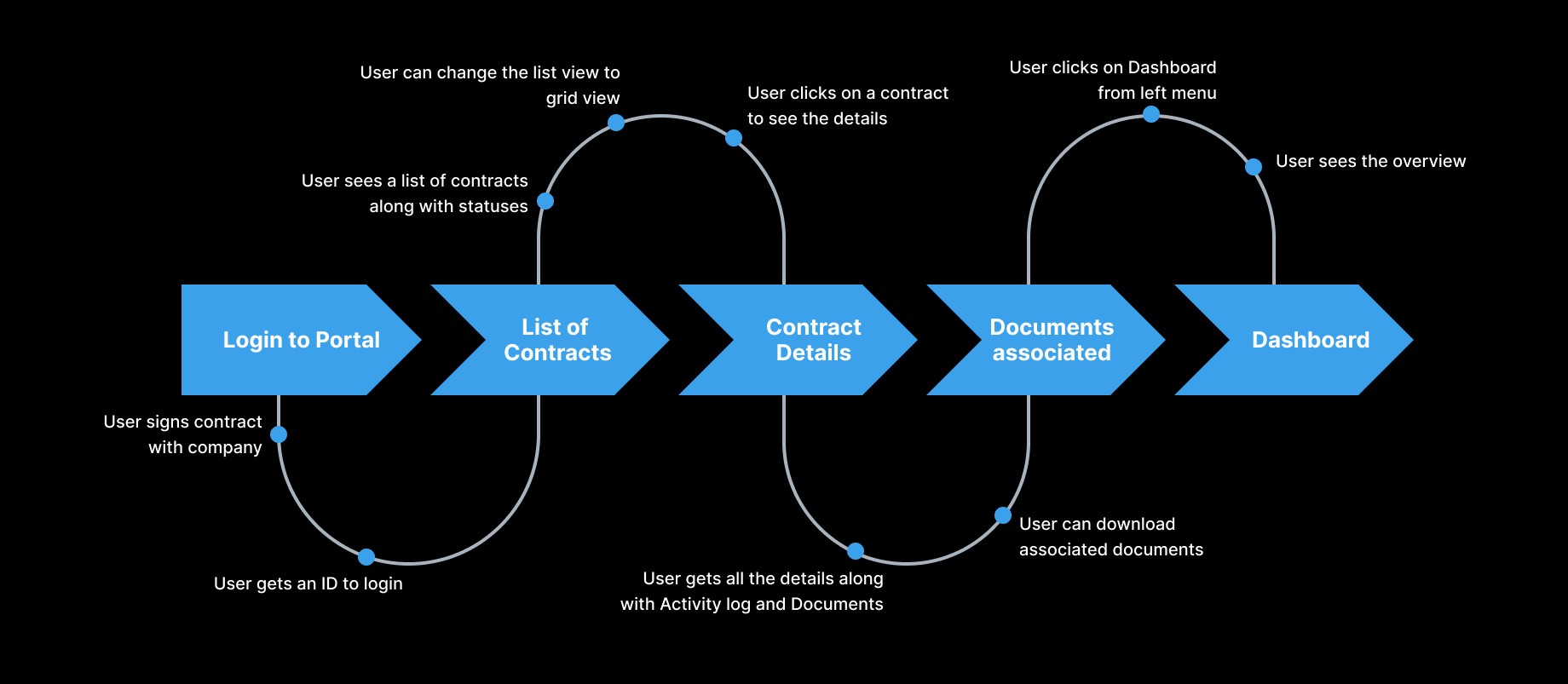
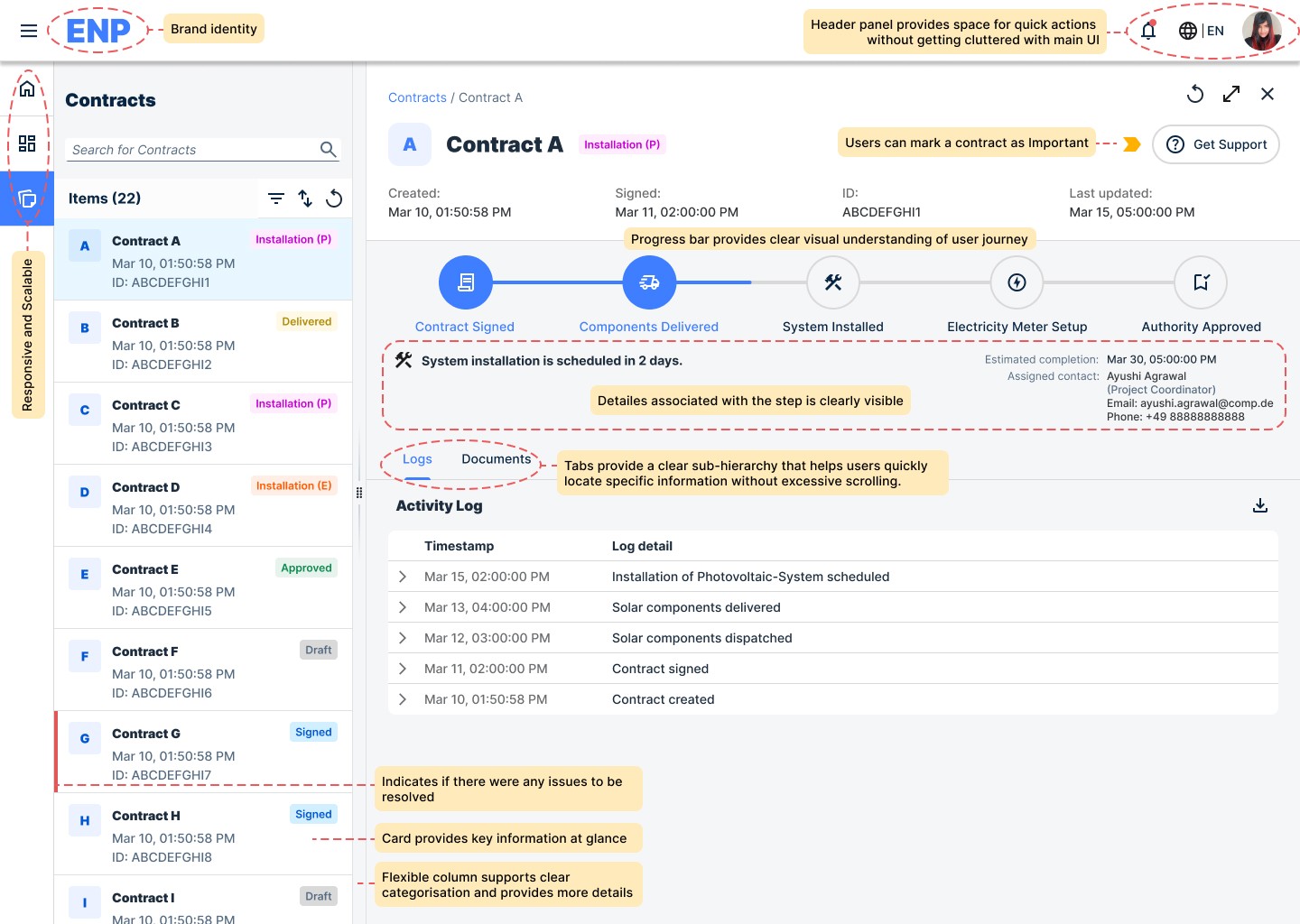
Details like responsible individual contact, tracking, contract created/signed and documents associated with the contract should be on the same place.
User should be able to download necessary documents.
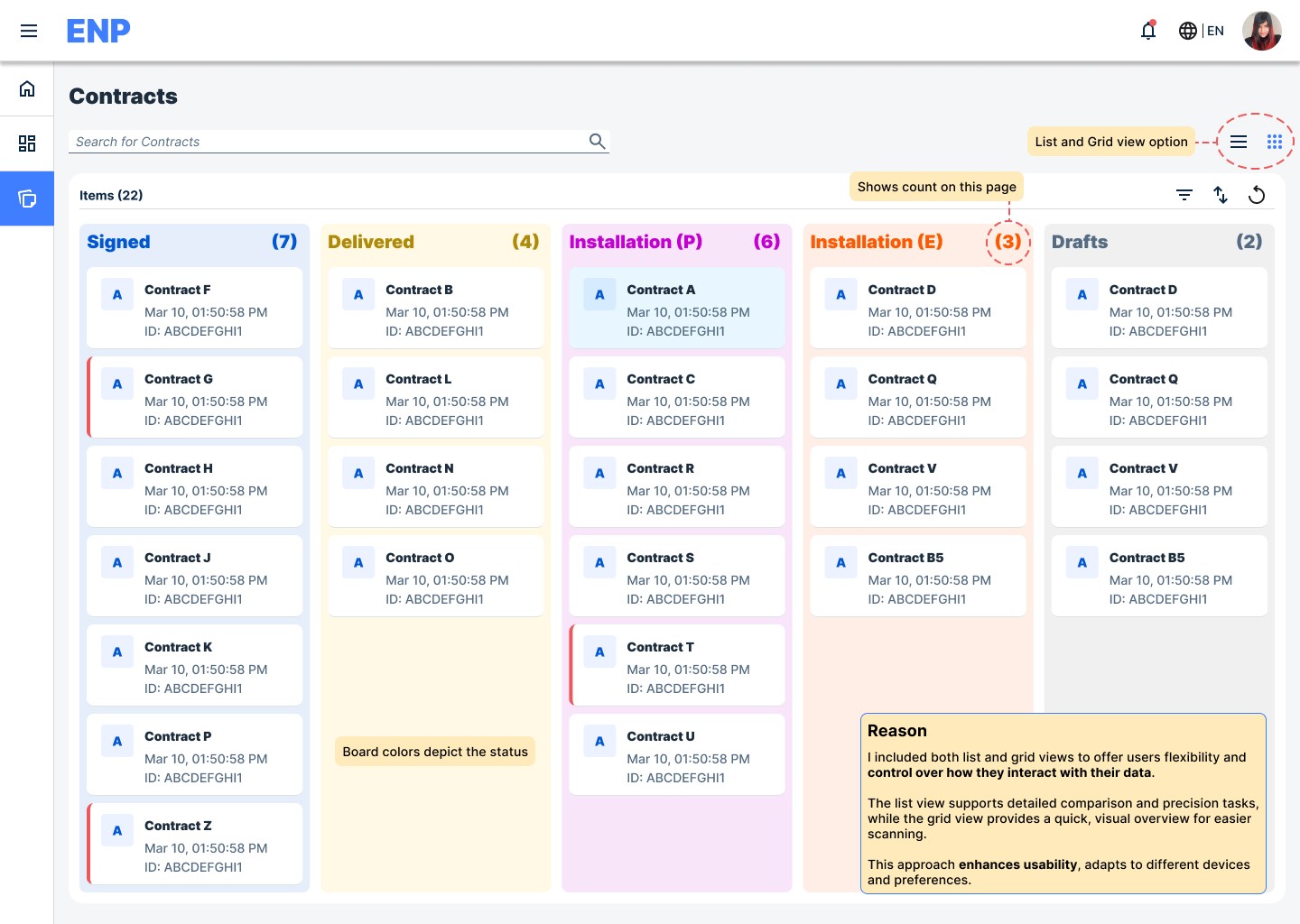
Multiple viewing options including list, grid and dashboard should be provided.
Progress tracking should be clearly visible.
Design
User flow
Design System


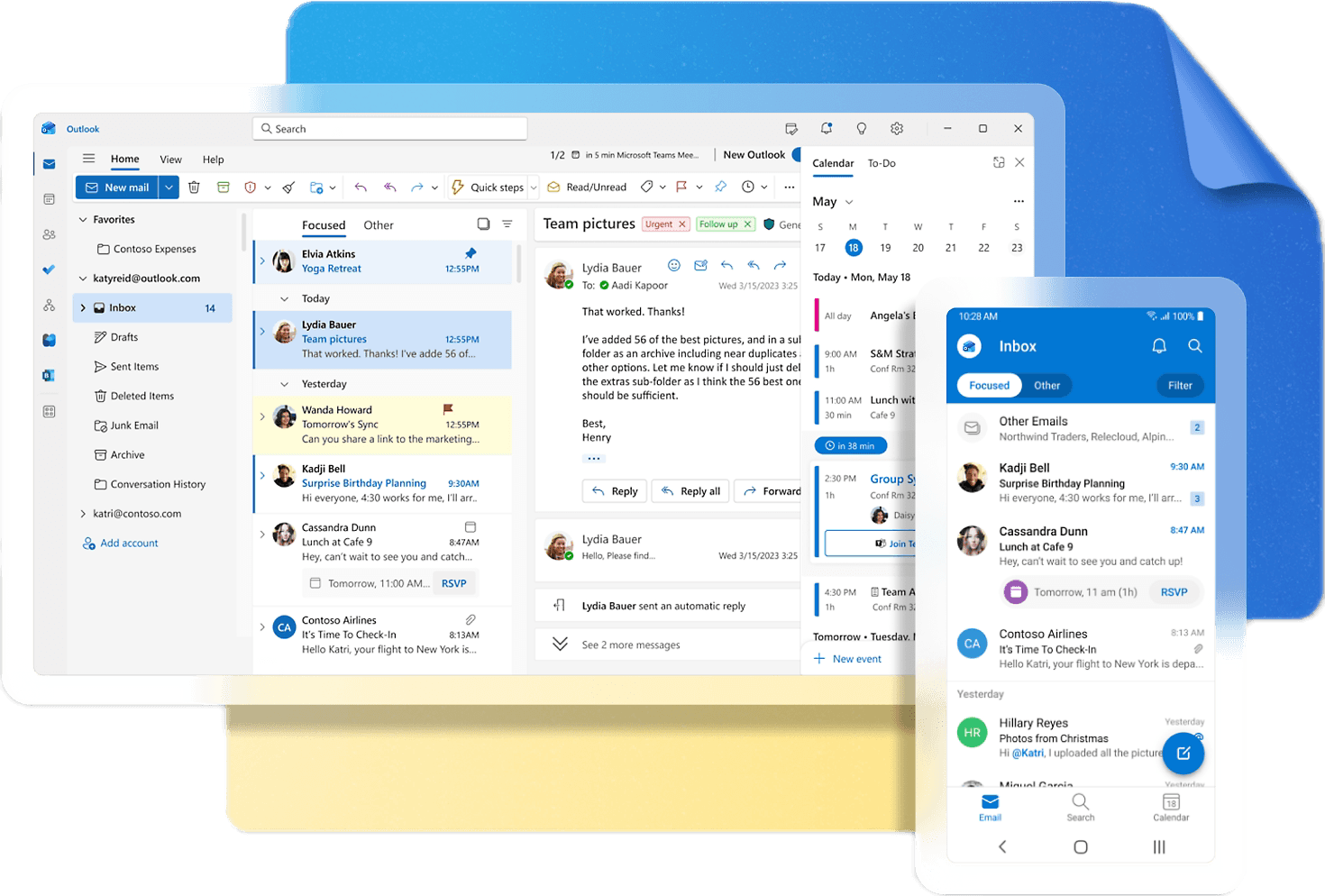
Flexible Column Layout
Eg: Outlook Emails
Outlook Emails provide a detailed view of data along with its preview.
Design is flexible and column width can be adjusted as per user requirement.
Grid Layout
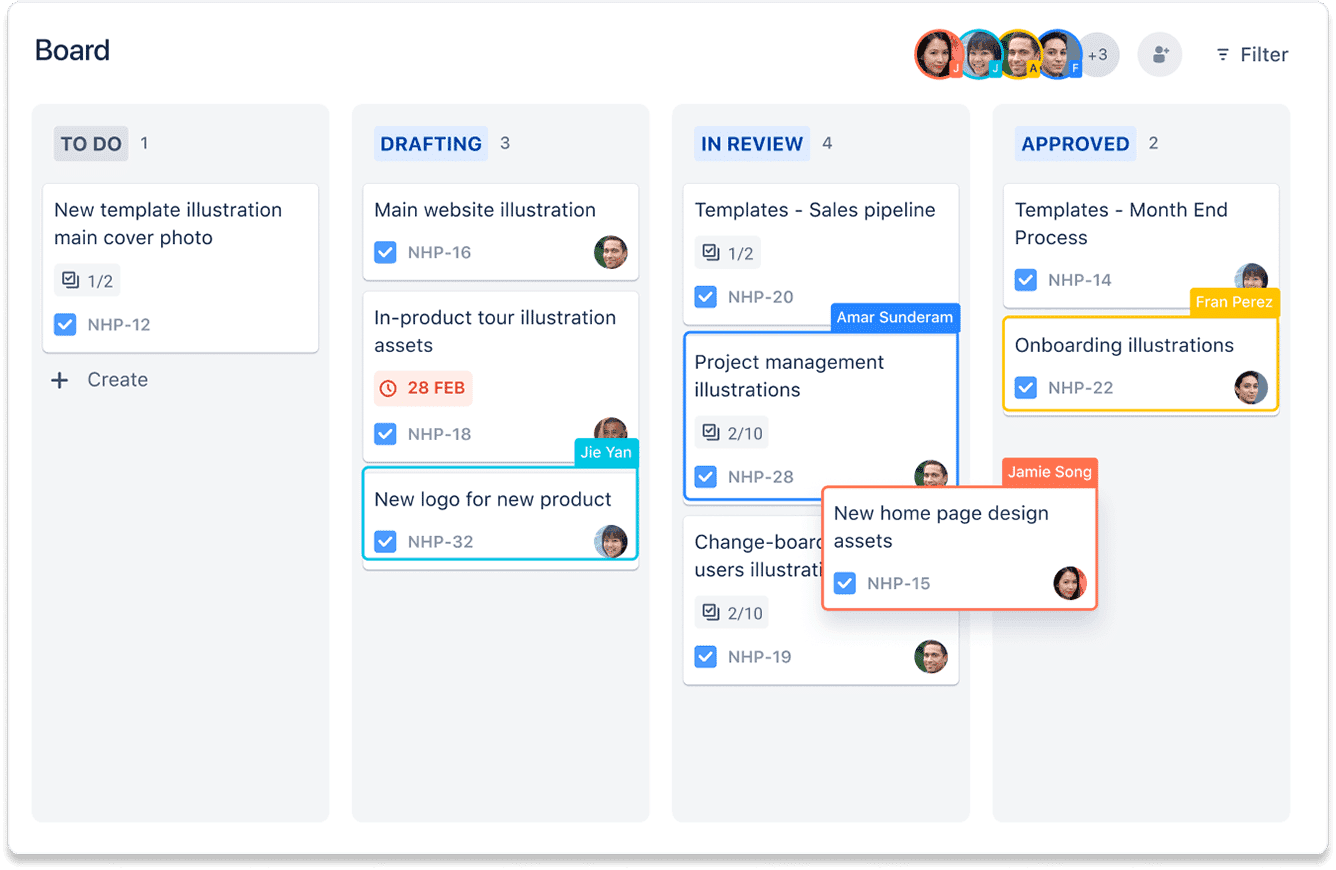
Eg: JIRA Board
Jira provides card view which is easy and simple to understand.
User can easily look at the contracts with different statuses and issues if any on the single screen.